DataZAP is the real estate intelligence platform (SaaS) from ZAP Imóveis, which assists builders, developers, and financial institutions in making strategic decisions, such as where and when to build, invest, finance, and negotiate properties.

INDUSTRY
Technology
ROLE
Product Designer
Context
After the migration to a new platform, users accustomed to the previous version faced difficulties adapting. The navigation structure was unclear, especially in the sidebar, which compromised the experience and hindered the use of the system's basic functionalities.
Problems
During the discovery, based on usability tests and behavior analysis, several friction points were identified:
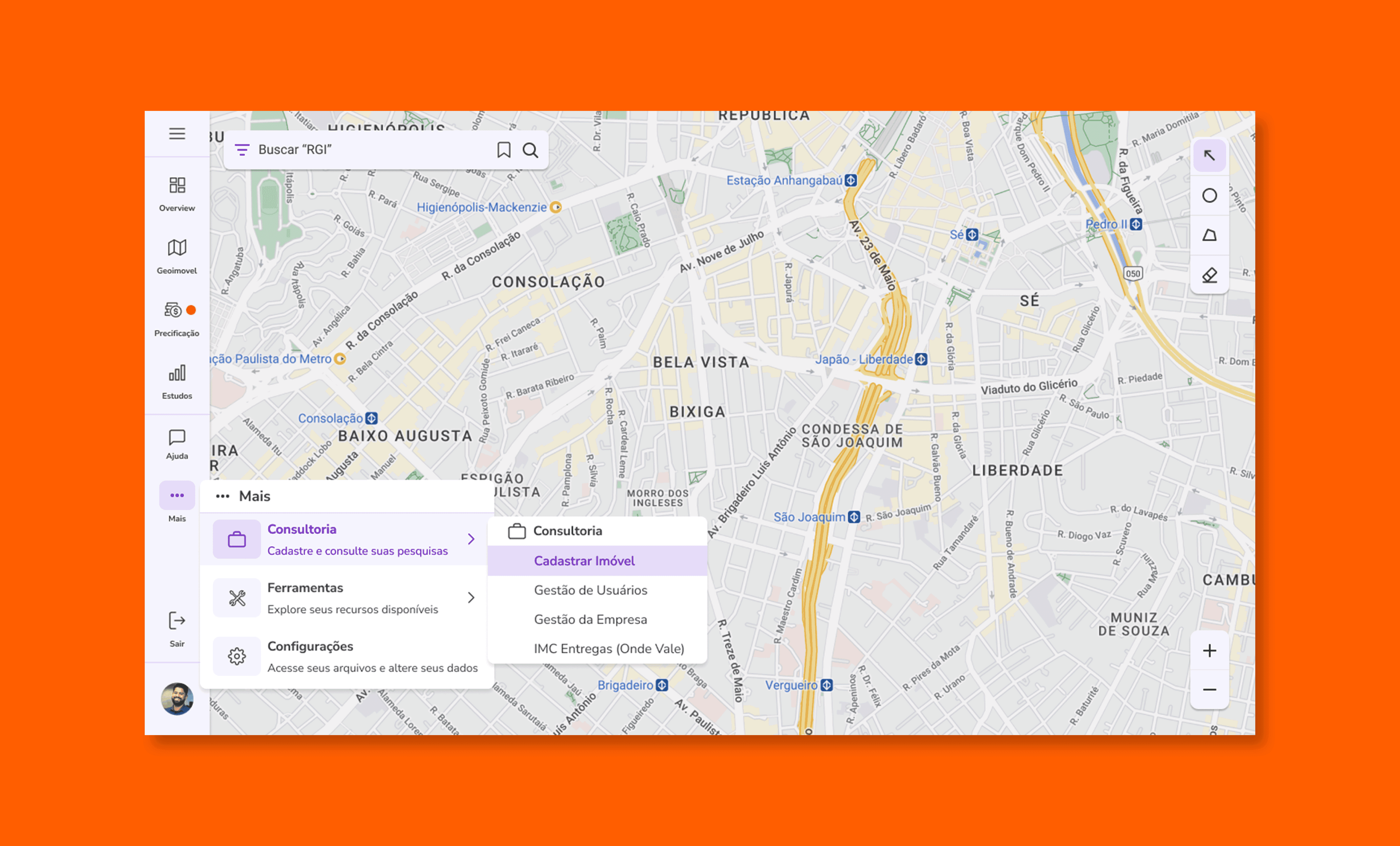
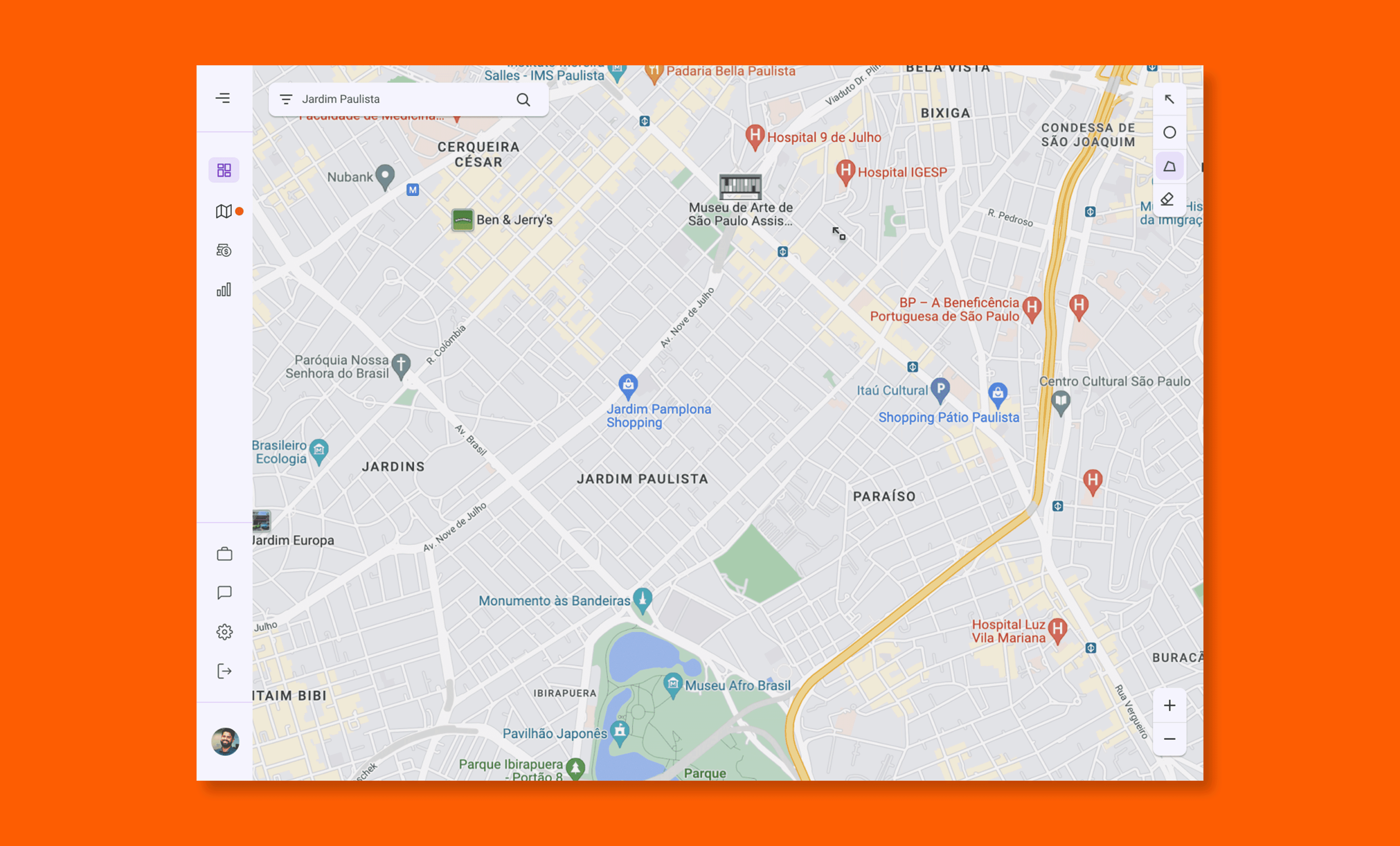
Closed Sidebar:
Icons without context, making it difficult to understand the function of each button.
Automatic expansion of the sidebar when clicked, causing loss of usable screen area.
Clustered buttons, increasing the risk of wrong clicks.
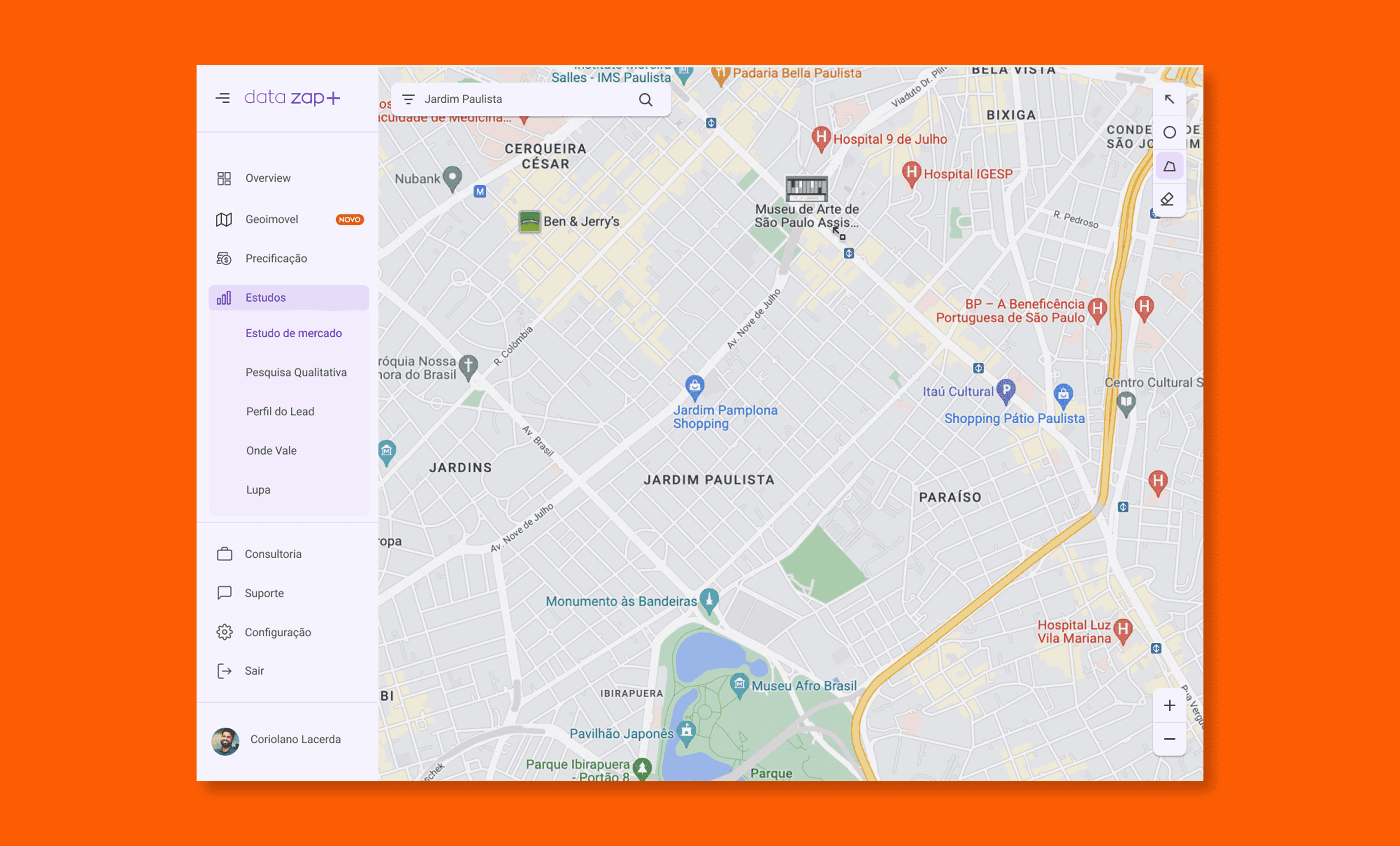
Open Sidebar:
Inadequate proportion on smaller screens, hindering navigation.
Same crowding issues and confusion between buttons.
Rigid model, which did not allow the addition of new features.
The platform's navigation was confusing, not scalable, and misaligned with the actual usage of customers.
Approach
I conducted the discovery focused on navigation, mapping specific frustrations in both modes of the sidebar.
I performed user testing and gathered real feedback from the operation.
I worked on modular and scalable solutions, prioritizing clarity and efficiency.
I collaborated with PMs and developers to ensure viability and consistency in delivery.
Applied Solutions
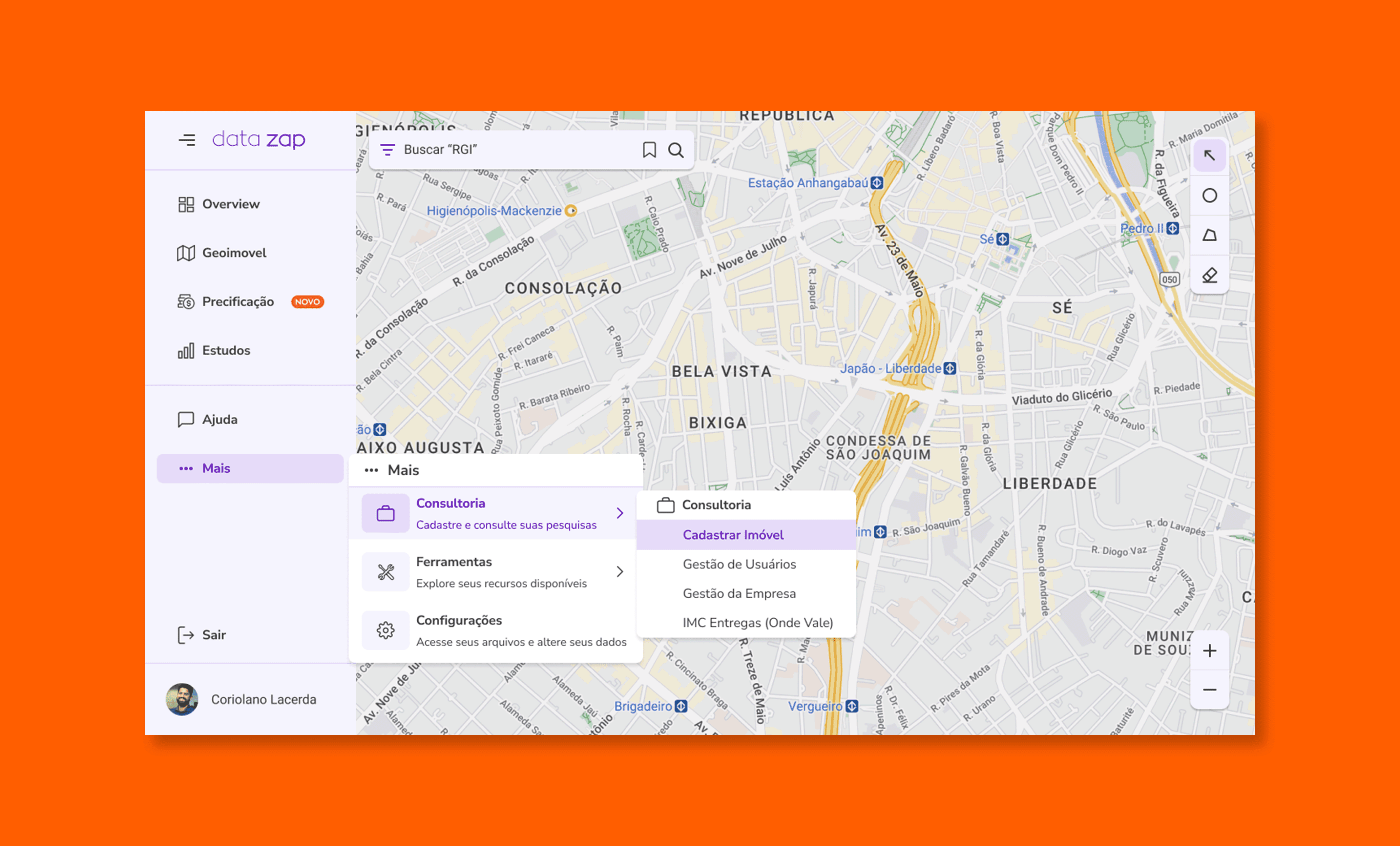
“More” Button
Objectives:
Reduce visual pollution from the sidebar.
Optimize the use of space on smaller screens.
Allow for future expansion of the menu without compromising user experience.
Results:
Decrease in the number of buttons initially displayed.
Freeing up visual space and better screen utilization.
Structure prepared to receive new functionalities in an organized manner
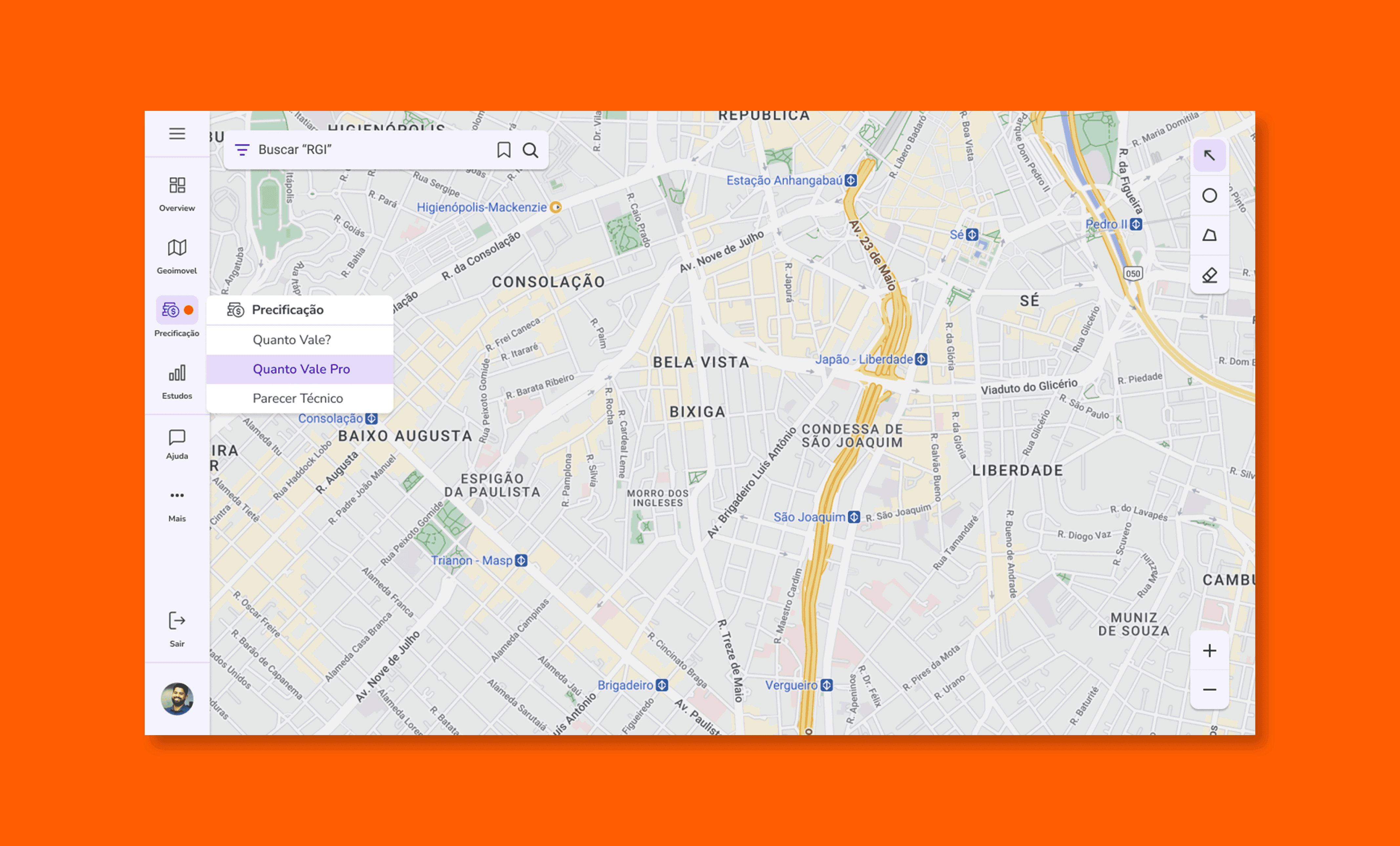
Organization by Categories – Collapsed Sidebar
Objectives:
Facilitate navigation even with the sidebar retracted.
Reduce frustration caused by the lack of context in the icons.
Results:
Inclusion of labels and contextual menus on the icons.
Better understanding of categories without needing to expand the interface.
Fewer unnecessary clicks and more fluid navigation.
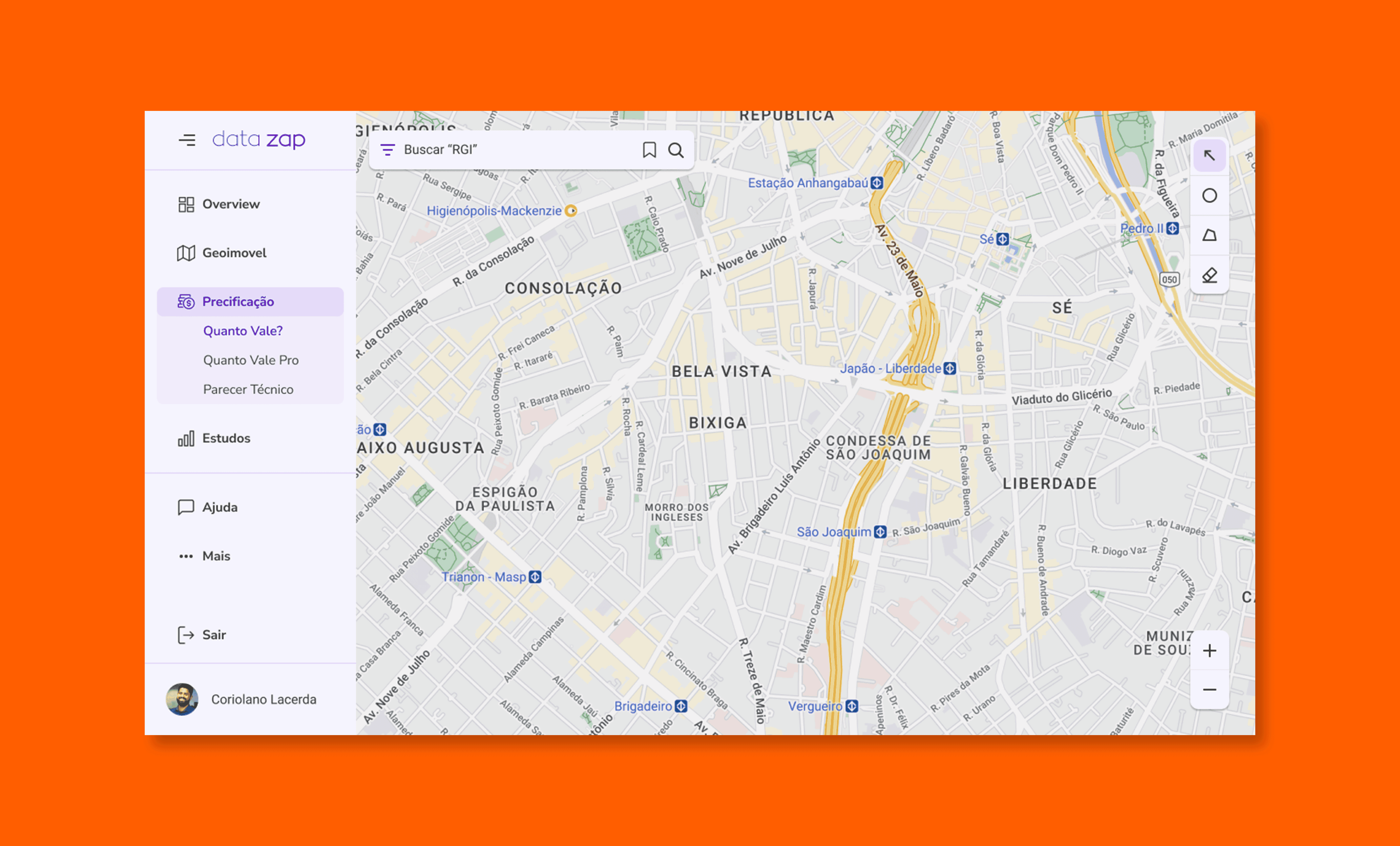
Organization by Categories – Open Sidebar
Objectives:
Adjust the layout to the actual resolutions used by customers.
Improve the visual hierarchy of actions.
Prevent navigation errors, such as accidental clicks.
Results:
Optimized spacing between elements.
Reordering of categories based on usage data.
Isolated “Logout” button to prevent accidental session termination.
Concrete Results
Clearer, responsive, and organized interface for different screen sizes.
Reduction of navigation errors and confusion reported by users.
Preparation of the interface for platform growth without compromising the experience.
Learnings
This project showed how seemingly small details, such as the spacing between buttons or the absence of labels, have a direct impact on user navigation. Observing how the user interacted with the platform made all the difference.
Smooth Scroll
This will hide itself!
This will hide itself!
Smooth Scroll
This will hide itself!
This will hide itself!